
Home » Alle berichten » Software » Jira vs Miro: choosing the right platform for structured project management and collaborative ideation
Jira vs Miro: choosing the right platform for structured project management and collaborative ideation
Comparing Jira vs Miro requires understanding that these two tools solve entirely different categories of work. Jira excels at structured project tracking, issue management and cross-team alignment, while Miro thrives in visual collaboration, brainstorming and free-form problem-solving. Many teams mistakenly compare them directly, not realizing they often work best together rather than as alternatives. This article explores advanced insights about workflow mapping, practical use cases and decision criteria that help you choose — or combine — the right tool for your needs.
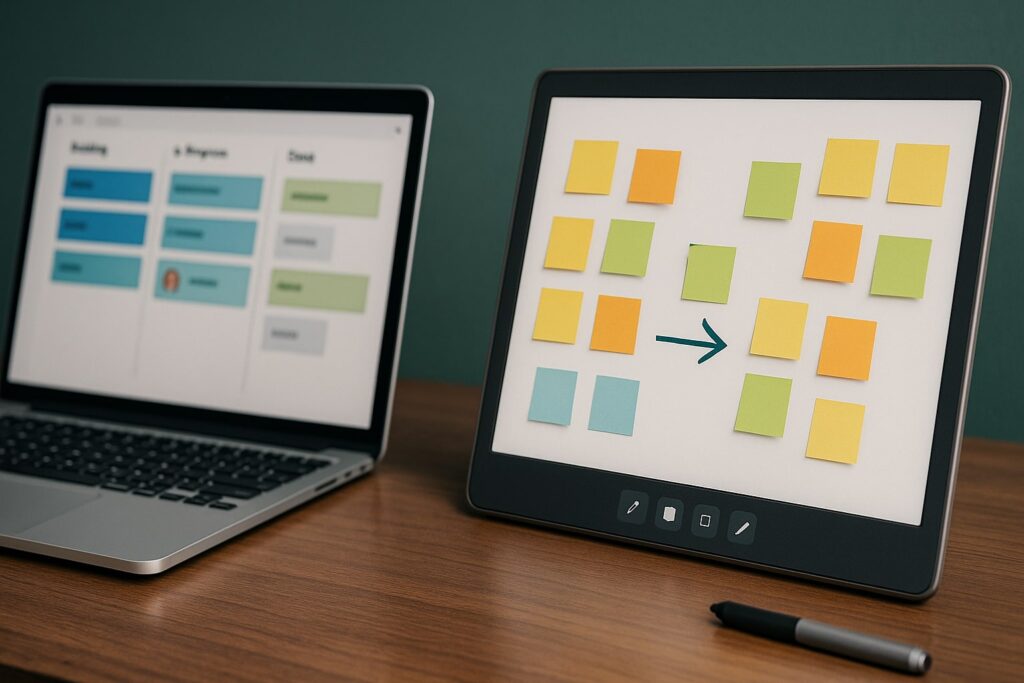
In short:
Jira vs Miro is not just a feature comparison but a choice between structured execution and flexible ideation.
Jira is ideal for task management, dependencies and sprint workflows, while Miro supports brainstorming, workshops and visual thinking.
The strongest workflows often integrate both tools to move from ideation to execution.
Evaluate your team’s operational maturity before selecting either platform.
Use clear decision frameworks to avoid tool overload and fragmentation.
Understanding the fundamental difference between Jira vs Miro
Comparing Jira vs Miro begins with recognizing their design intent. Jira is built for precision, accountability and structured workflows. It supports teams that need to manage complex tasks, track progress, report data and maintain reliable processes. Its strength lies in systematizing work rather than inspiring creativity.
Miro, by contrast, is built for open thinking and collaborative problem-solving. It gives teams a visual canvas where ideas can be shaped, connected and re-organized freely. This flexibility makes it perfect for early-stage planning, workshops and innovation sessions.
When you understand this distinction, choosing between Jira vs Miro becomes less about features and more about matching tools to work styles.
When Jira vs Miro matters for workflow alignment
The decision becomes important when your team feels friction in planning or execution. If brainstorming sessions feel chaotic or ideas get lost, Miro might be the missing piece. If tasks fall through the cracks or accountability is unclear, you likely need Jira.
For high-performing teams, alignment comes from understanding when to shift between tools. TheGrowthIndex.com often highlights the importance of structured systems combined with creativity, and Jira vs Miro reflects that duality perfectly. You need both clarity and flexibility to operate effectively.
Also interesting



Jira vs Miro for early-stage planning
Early-stage planning requires space to explore options without constraints. Miro provides an ideal environment for mapping workflows, exploring user journeys, visualizing processes and running strategy workshops. You can create sticky notes, diagrams, flowcharts and brainstorming clusters quickly.
Jira, on the other hand, is useful only after ideas become actionable. Turning early ideas into backlog items prematurely can create confusion. Understanding this helps you use each tool at the right moment.
How to move from Miro ideation to Jira execution
This transition is where many teams get stuck. Ideas captured in Miro may never reach Jira unless you create a structured handoff process. A simple step-by-step workflow solves this:
Use Miro to brainstorm ideas with no constraints.
Cluster related ideas into themes on the Miro board.
Identify which clusters translate into projects or tasks.
Convert selected elements into Jira backlog items.
Prioritize them within Jira using sprints or work cycles.
Keep the Miro board as a living reference for future iterations.
This reduces duplication and ensures your Jira board reflects meaningful and validated work.
Jira vs Miro for cross-team collaboration
Different teams have different expectations. Product managers may prefer Jira for tracking roadmaps, while designers often rely on Miro for mapping user journeys. Engineering teams lean heavily on Jira for structured execution.
Understanding where teams naturally gravitate is important. When you force teams to adopt a single tool that does not align with their workflow, adoption drops. Instead, structure your tool ecosystem so each team can use what suits them best — while maintaining alignment through integration.
“You get clarity from Jira and creativity from Miro — your workflow becomes powerful only when you use both with intention.”
Comparing Jira vs Miro for managing complexity
Complexity is one of the clearest dividing lines. Jira is built for complexity. It supports dependencies, sub-tasks, custom workflows, automation rules, time tracking and advanced reporting. Teams dealing with multiple stakeholders, compliance requirements or detailed execution paths benefit significantly from Jira’s structured environment.
Miro is not intended to manage complexity; it is designed to simplify it visually. When processes become too abstract or overwhelming, a Miro board can make them understandable, but it does not replace the need for execution structure.
Workflow mapping in Jira vs Miro
Workflow mapping is often easier in Miro, where you can create diagrams and journey maps with no restrictions. This visual clarity helps teams understand the big picture before building anything.
Once workflows are validated visually, Jira allows you to translate them into actionable sequences, automations and dependencies. Treat Miro as your conceptual map and Jira as your operational engine.
Feature depth: Jira vs Miro
While both tools offer rich capabilities, they excel in different ways.
Jira strengths:
Advanced issue tracking
Sprint planning and agile boards
Custom fields and automations
Release tracking
Reporting dashboards
Role-based permissions
Miro strengths:
Brainstorming tools
Presentation mode
Diagramming templates
Infinite visual canvas
Workshop facilitation tools
User journey and UI mapping
Comparing Jira vs Miro purely on feature lists misses the point — the real power lies in using each tool for what it does best.
Jira vs Miro for remote and hybrid teams
Remote teams often struggle with alignment, especially during planning phases. Miro bridges this gap by giving teams a shared visual space where they can think, communicate and collaborate fluidly. Workshops that once required physical whiteboards can happen online seamlessly.
Jira supports remote teams differently: by creating clear expectations, timelines and accountability structures. Together, they form a powerful remote-work ecosystem.
Cost and scalability considerations in Jira vs Miro
Costs vary depending on team size and feature needs. Jira tends to scale more predictably because pricing aligns with user roles and usage intensity. Miro often becomes more expensive as teams adopt more boards and templates.
From a scalability perspective:
Jira scales well with large engineering teams.
Miro scales well for collaborative, creative, cross-functional environments.
Your choice depends on which type of scaling matters most.
Also interesting



Integrations: bridging Jira vs Miro
One of the most overlooked advantages is that Jira and Miro integrate extremely well. You can embed Jira cards directly in Miro, sync updates and visualize workflows that update automatically. This creates a unified ecosystem: ideation in Miro, execution in Jira.
Teams that integrate both tools experience fewer communication gaps and more fluid project transitions.
Practical decision-making when comparing Jira vs Miro
To decide effectively, evaluate where your team currently struggles:
If tasks lack clarity → Jira solves it.
If ideas feel scattered → Miro solves it.
If roadmaps are unclear → Use both.
If communication is fragmented → Miro centralizes brainstorming.
If execution misses deadlines → Jira strengthens accountability.
Choosing based on symptoms offers better clarity than comparing features alone.
Combining Jira vs Miro for end-to-end workflows
The highest-performing teams rarely choose just one. Instead, they combine both to create an end-to-end workflow:
Discovery and research in Miro
User journey mapping in Miro
Backlog creation in Jira
Development and QA in Jira
Retrospectives and iteration planning in Miro
Reporting and optimization in Jira
This hybrid approach avoids the common problem of losing creativity to structure or losing structure to creativity.
Advanced insights for using Jira vs Miro effectively
There are several nuanced, often overlooked insights that significantly improve workflow quality:
Miro is most powerful early in the project lifecycle, while Jira shines later.
Miro should not store long-term documentation; Jira should.
Jira should not be used for brainstorming; Miro should.
Miro helps align people emotionally; Jira aligns people operationally.
Lifecycle tools only work when transitions are intentional and documented.
Recognizing these nuances helps you build a workflow that actually matches how teams think and work.
Creating a unified system using Jira vs Miro
To integrate both tools into a seamless workflow, create governance rules:
Define when teams switch from Miro to Jira
Create naming conventions for boards and projects
Document workflows so onboarding becomes easier
Use integrations for live syncing
Centralize long-term decisions in Jira, not Miro
This structure prevents tool overload and ensures consistency.

Lina Mercer
Lina Mercer is a technology writer and strategic advisor with a passion for helping founders and professionals understand the forces shaping modern growth. She blends experience from the SaaS industry with a strong editorial background, making complex innovations accessible without losing depth. On TheGrowthIndex.com, Lina covers topics such as business intelligence, AI adoption, digital transformation, and the habits that enable sustainable long-term growth.