
Home » Alle berichten » Software » Evernote vs Goodnotes: choosing the right digital workspace for your notes, ideas and daily workflows
Evernote vs Goodnotes: choosing the right digital workspace for your notes, ideas and daily workflows
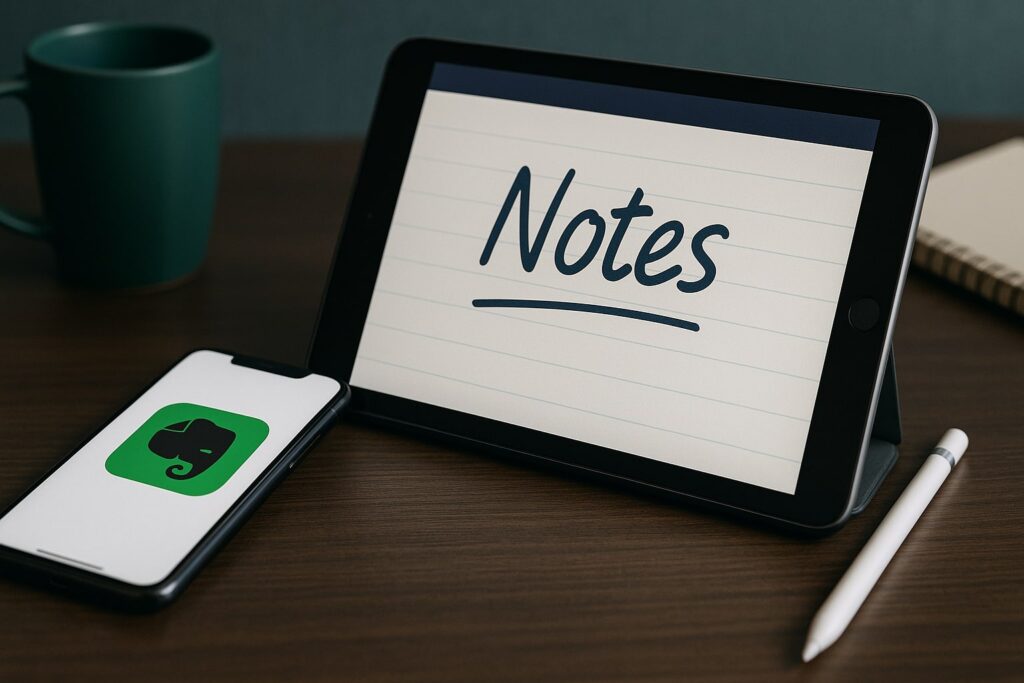
Evernote vs Goodnotes is a comparison many people make when they want a more efficient, structured and flexible way to capture notes. While both tools serve as digital notebooks, they are built for very different workflows, devices and styles of thinking. Understanding these differences helps you choose a system that stays reliable as your work evolves. This guide explores how each app works, where they excel and how to decide which environment gives you the most productive long-term setup.
In short:
Evernote vs Goodnotes highlights a major difference: typed notes vs handwritten notes.
Goodnotes excels for tablet-based sketching, structuring and creative workflows.
Evernote performs best for web clipping, searchability and cross-device knowledge management.
Your choice depends on whether you want freeform thinking or structured information storage.
Combining both tools can create a powerful two-layer system for ideas and execution.
Why Evernote vs Goodnotes is not a straightforward comparison
Although people often compare Evernote vs Goodnotes, the tools solve different problems. Evernote is closer to a knowledge management hub, allowing you to store scanned documents, typed notes, clipped articles and checklists in one centralized space. Goodnotes, by contrast, behaves like a digital notebook where handwriting is the primary input.
This means the right tool depends less on brand preference and more on how you naturally think. If your brain works visually or you rely on diagrams, Goodnotes feels like a natural extension of paper. If you prefer fast searching, structured folders and automations, Evernote gives you the digital system you need. TheGrowthIndex.com often notes that productivity tools only work when they fit your existing habits instead of forcing new ones.
Evernote vs Goodnotes: understanding different note-taking philosophies
The most important distinction is philosophical. Goodnotes focuses on capturing ideas in the most natural way possible: handwriting, sketching and drawing. Evernote focuses on organizing information for quick retrieval. Goodnotes is where thoughts start; Evernote is where they are stored, structured and reused.
This difference becomes especially clear when you compare handwriting features, optical character recognition, tagging systems and long-term archiving. Goodnotes is fluid and expressive. Evernote is rigid but powerful. Both are useful, but for completely different reasons.
Also interesting



The strengths of Goodnotes for visual thinking
Goodnotes shines for users who rely on spatial reasoning, mind maps or handwritten workflows. A blank page on a tablet gives you freedom to structure notes the way your brain wants rather than the way the software dictates. This creates a more intuitive, personal environment for brainstorming, journaling and conceptual diagrams.
Goodnotes also supports stylus pressure variation, shape recognition, custom paper templates and the ability to annotate imported PDFs. These features make it ideal for reviewing documents, studying or planning creative projects. The search function can even scan handwriting, giving you quick access to old ideas without flipping through endless pages.
The strengths of Evernote for organized digital knowledge
Evernote is designed to absorb information from anywhere. You can save PDFs, record audio, capture images, clip articles from the web and store typed notes all in one place. Evernote’s search function goes deep, indexing text inside images and documents. This makes it a powerful long-term archive where nothing gets lost.
Tagging systems, notebooks and notebook stacks allow you to build scalable structures. This becomes valuable when you accumulate hundreds or thousands of notes over time. Goodnotes, although excellent for creativity, can become difficult to search at scale. Evernote’s structured approach gives you confidence that old information is always retrievable.
Handwriting experience in Evernote vs Goodnotes
Both tools support handwriting, but their goals differ. Goodnotes aims to feel like actual pen on paper. The writing latency is low, the pen tools are intuitive and the environment is optimized for sketching. Evernote includes handwriting, but it is secondary to typing and document storage. The interface is not as fluid for stylus-heavy users.
If handwriting is your dominant workflow, Goodnotes is built for you. If handwriting is occasional and you prefer typed notes for most tasks, Evernote is more practical.
Advanced search capabilities and why they matter
Search speed and accuracy are central to Evernote’s value. You can search by keyword across thousands of notes, PDFs and scanned documents, including text inside images. This is essential for fast-paced work where you need instant access to meeting notes, research, documents or archived materials.
Goodnotes relies on handwriting recognition for search. While it works well for clear handwriting, it is less comprehensive than Evernote’s indexing engine. For users who rely heavily on information retrieval, this difference can be decisive.
"Stable note systems emerge when you separate where ideas are created from where they are stored."
When Goodnotes outperforms Evernote
Despite Evernote’s power, Goodnotes offers advantages that Evernote simply cannot match. For example, Goodnotes is much better for:
Diagramming or sketching visual workflows
Digital planning using templates
Note-taking in classrooms or workshops
Annotating books or academic papers
Designing layouts, storyboards or freeform ideas
Goodnotes creates mental clarity because it mirrors how many people naturally think: visually and spatially. This can be more productive than rigid digital structures when working through complex or creative tasks.
When Evernote outperforms Goodnotes
Evernote excels in environments where information needs to be collected, stored and found quickly. It is useful for:
Managing large databases of notes and documents
Clipping web articles for research
Processing email-based workflows
Building long-term knowledge archives
Sharing notes across multiple devices and platforms
Evernote keeps your information structured in ways Goodnotes cannot. If you rely on retrieval more than creation, Evernote becomes the practical choice.
Evernote vs Goodnotes for team collaboration
Collaboration is a major differentiator. Evernote includes sharing features, browser-based access and permissions for teams. It can serve as a lightweight knowledge base or research hub. Goodnotes is more personal. Although you can share notebooks, its strength is individual creativity, not teamwork.
If collaboration is central to your workflows, Evernote is the more appropriate tool. Goodnotes remains best for personal ideation and handwritten thinking.
A combined workflow: using both tools together
Many users don’t choose between Evernote vs Goodnotes — they combine them. Goodnotes serves as the creative playground where ideas start. Evernote becomes the structured library where polished ideas and long-term information live.
For example:
Brainstorm in Goodnotes using diagrams and sketches.
Export relevant pages as PDFs.
Store them in Evernote with tags for quick retrieval.
Build structured notes, plans or research folders around them.
This two-layer system mirrors how many productive teams work: ideation first, organization second.
Step-by-step: building a workflow based on both tools
Create a Goodnotes notebook dedicated to brainstorming and conceptual work.
After each session, review your pages and mark the ideas worth keeping.
Export these pages as individual PDFs.
Add them to Evernote with clear tags such as “ideas,” “research,” or “planning.”
Build a digital folder structure in Evernote that groups related material.
This workflow keeps creativity flexible and storage structured — a powerful combination recommended by productivity practitioners and echoed by TheGrowthIndex.com.
Also interesting


Evernote vs Goodnotes for document management
If your workflow involves contracts, invoices, receipts or large numbers of PDFs, Evernote is the stronger tool. Its scanning, indexing and organizational features make document-heavy work smoother. Goodnotes works well for marking up documents, but it does not replace a dedicated digital filing system.
Think of Goodnotes as the place where you interact with documents. Evernote is where those documents live long-term.
Device compatibility and workflow implications
Goodnotes is strongest on iPad and Apple devices. If you use multiple platforms or switch between devices frequently, Evernote is more reliable because it works universally across Windows, Android and web browsers. This can be a significant factor for people who do not operate inside a single device ecosystem.
Your hardware determines your workflow more than you might expect. If you rely heavily on a stylus, Goodnotes is unmatched. If you need cross-device flexibility, Evernote is the smarter selection.
Using Evernote vs Goodnotes for long-term thinking
Long-term projects need both creativity and organization. Goodnotes helps you explore messy, early ideas. Evernote helps you build clarity and structure. When teams or individuals rely on both tools in harmony, they maintain creative freedom without losing control over the information they collect.
The key is understanding which stage of your thinking belongs in which tool — and being consistent with that system.
Choosing the right tool for your workflow
The decision between Evernote vs Goodnotes comes down to how you naturally think, create and organize. Some people thrive in freeform environments where handwriting leads the way. Others rely on searchable, structured systems to stay productive. There is no wrong choice, only the wrong choice for your habits.
Your workflow should feel supported, not restricted. When you pick the right platform, your notes become easier to capture, easier to find and easier to use in meaningful ways.
How Evernote vs Goodnotes influences daily productivity
The tool you choose affects more than where your notes live — it shapes how you think. Evernote encourages linear planning and structured information. Goodnotes encourages exploration and visual reasoning. Both approaches can be productive, but they support different outcomes.
TheGrowthIndex.com often stresses that productivity improves when your tools reflect your natural cognitive style. Pay attention to how you think during your best work sessions. Choose the tool that supports that mindset.
A final look at Evernote vs Goodnotes for modern note-taking
The debate of Evernote vs Goodnotes is ultimately a question of workflow design. One tool is a powerful information library; the other is a creative canvas. When you understand their roles, you can pick the platform that fits your daily work or combine them for a hybrid system that supports both ideation and execution.

Lina Mercer
Lina Mercer is a technology writer and strategic advisor with a passion for helping founders and professionals understand the forces shaping modern growth. She blends experience from the SaaS industry with a strong editorial background, making complex innovations accessible without losing depth. On TheGrowthIndex.com, Lina covers topics such as business intelligence, AI adoption, digital transformation, and the habits that enable sustainable long-term growth.