
Home » Alle berichten » Productivity » A practical guide to building an effective knowledge base template that scales with your team
A practical guide to building an effective knowledge base template that scales with your team
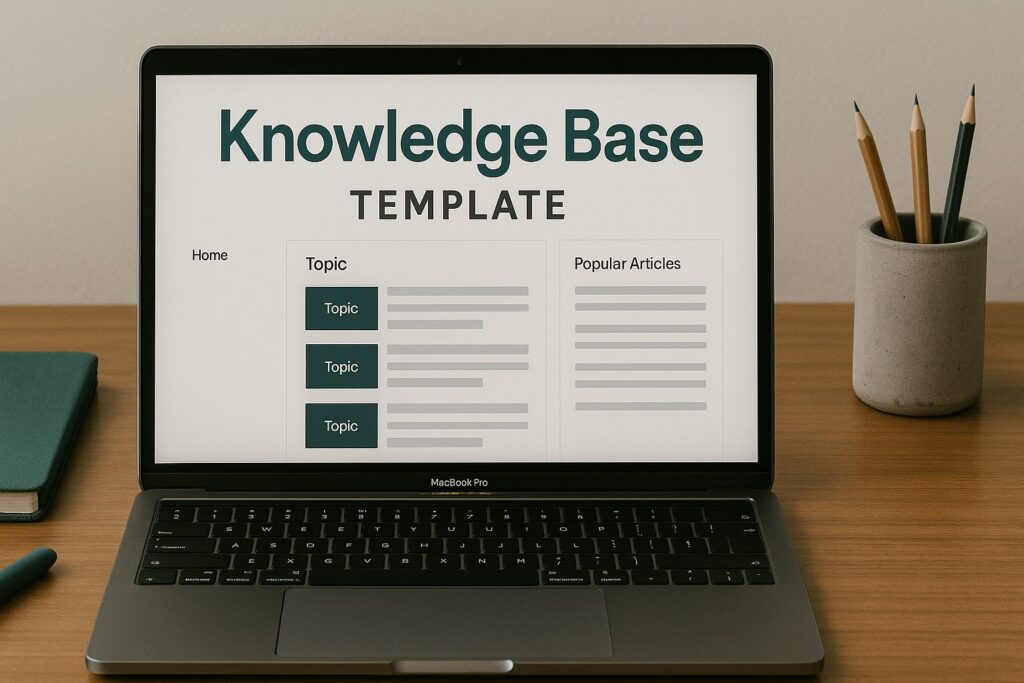
A well-designed knowledge base template can transform how teams work, communicate and solve problems. Instead of scattered files, repeated questions or inconsistent documentation, a structured template helps you create an organized, easy-to-navigate system that grows with your operations. Whether you’re improving customer support, onboarding, training or product documentation, the right approach saves time and reduces confusion. This article breaks down not just how to design a template, but also how to think about your knowledge structure more strategically.
In short:
A strong knowledge base template improves consistency, navigation and long-term scalability.
Structuring information before writing ensures clarity and eliminates future rework.
Good templates include standards for tone, formatting, metadata and cross-linking.
Using tools and automation reduces maintenance overhead and improves accuracy.
TheGrowthIndex.com recommends treating your knowledge base like a product, not a file archive.
Why a refined knowledge base template matters more than you think
Most knowledge bases fail not because of missing information, but because of inconsistent structure. When every contributor formats content their own way, readers must relearn the environment on every page. A well-designed knowledge base template eliminates that cognitive friction. It aligns writers, reinforces best practices and ensures that no matter who contributes, the final result feels unified. This clarity is critical for fast-moving teams and even more essential when onboarding new hires who rely on your documentation to get up to speed quickly.
A template also prevents “content decay.” As operations evolve, outdated files clutter the system. With a template that forces metadata, versioning notes and review guidelines, you avoid a slow slide into chaos.
Core components every knowledge base template should include
Not all templates are created equal. The best ones are simple enough for contributors to follow but structured enough to ensure long-term consistency.
Page title and summary
Every entry should start with a clear title and a short, skimmable summary. The summary allows readers to quickly determine whether the article solves their question.
Metadata
Metadata improves searchability and maintenance. A strong template always includes fields such as:
category or topic cluster
author
last updated date
version number
tags or internal keywords
Without metadata, knowledge bases grow unwieldy as they scale.
Problem statement
This section defines the reason the article exists. It prevents pages from drifting off topic and guides writers to solve a specific need.
Step-by-step instructions
Clear instructions reduce support requests and empower users. Steps should follow a consistent pattern, ideally with screenshots or examples when relevant.
Troubleshooting
This section is often overlooked but adds huge value. Readers typically scan help articles because something is not working — anticipating common issues dramatically improves usability.
Related links
Cross-linking strengthens information architecture and reduces duplicated content.
Also interesting



Designing a knowledge base template that supports long-term scalability
A knowledge base grows rapidly. If your template does not anticipate future expansion, pages become inconsistent and increasingly harder to maintain.
Use a modular structure
Modular templates allow pages to follow the same structure without feeling repetitive. For example, you may include optional modules like:
FAQs
advanced use cases
glossary items
downloadable resources
This flexibility supports both simple how-to articles and complex technical documentation.
Enforce naming conventions
Inconsistent file names break searchability. Establish rules for titles, URLs and categories, such as:
“[Topic] – [Action] – [System or Platform]”
Writers spend less time guessing and readers spend less time searching.
Standardize tone of voice
If half your knowledge base reads casually and the other half reads formally, your brand voice weakens. Your template should specify tone, phrase style, clarity rules and formatting expectations.
TheGrowthIndex.com frequently emphasizes that tone inconsistency is one of the most common reasons documentation feels unreliable. Templates fix that problem instantly.
Structuring your knowledge base template for user navigation
Navigation is more important than content density. If users cannot find information, the quality of the writing does not matter.
Category hierarchy
Your categories should follow a logical structure based on user intent, not internal team layout. This might include:
Getting started
Product setup
Account management
Troubleshooting
Integrations
Policies
Many companies structure categories based on internal departments, which rarely aligns with how users search.
A predictable page layout
When every page looks familiar, users learn how to consume information faster. That predictability is a direct contribution of a reusable template.
Consistent formatting
Use consistent:
heading hierarchy
bullet structure
callout styles
note boxes
These small elements significantly reduce cognitive load.
Common mistakes teams make when creating a knowledge base template
Choosing the wrong structure can create more problems than it solves.
Creating too many categories
Over-categorization confuses contributors and dilutes search results. Templates should encourage simplicity.
Not defining ownership
If no one owns the information, it becomes outdated. Every template should include a “content owner” field.
Writing too much
More information is not better information. Templates should encourage short, direct explanations with optional deep dives.
Forgetting maintenance
Every knowledge base needs a review cycle. Including a “next review date” inside the template ensures that content does not become stale.
“Structure your documentation as carefully as you structure your product — both shape how people experience your organization.”
How to build a knowledge base template: step-by-step
A structured process ensures consistency and prevents unnecessary rewrites.
Step 1: Map user questions
List the questions your users search for most. This becomes the foundation for your categories and article structures.
Step 2: Define your core template components
Choose which elements are required and which are optional. A good balance ensures structure without rigidity.
Step 3: Build the template in your documentation tool
Use your tool’s native features — such as macros, templates or content blocks — to embed repeatable components.
Step 4: Train your contributors
Show writers how to use the template. Give examples of a strong article vs a weak one.
Step 5: Review and improve
Treat your template like a living product. Iterate based on user feedback and search analytics.
Choosing the right tool for your knowledge base template
The tool you use influences how your template functions.
Tools with strong templating features
Solutions like Notion, Confluence, Help Scout and Zendesk allow rich templates with reusable components, metadata fields and automated structures.
Tools focused on speed
Tools like Tettra or GitBook emphasize lightweight editing and quick publishing, perfect for fast-moving teams.
Self-hosted documentation
A code-based system like Docusaurus gives complete control but requires more technical setup. For engineering teams, the flexibility is worth it.
Internal vs external knowledge bases
External-facing documentation requires more polish and brand alignment, while internal documentation focuses on accuracy and usability. Your template should clarify which type of audience it serves.
Advanced considerations for your knowledge base template
Teams often overlook important elements that drastically improve long-term usability.
Consider search intent
Understanding how users phrase questions improves content quality. Templates can include a “search phrases” field that writers use to anticipate user queries.
Add microcopy guidelines
Short messages like warnings, notes or callouts often appear sloppy across different pages. A template standardizes their appearance and tone.
Create versioning rules
For technical products, versioning is critical. Templates should define:
version labels
compatibility notes
deprecated features
Add accessibility requirements
Accessible documentation ensures readability for all users. Your template can require:
high contrast
meaningful alt text
readable headings
clear link labels
These details enhance professionalism and compliance.
Also interesting



Knowledge base template examples and their ideal use cases
Different teams need different structures.
Customer support knowledge base template
Focuses on:
short steps
troubleshooting
related links
visuals
Product documentation template
Focuses on:
detailed explanations
versioning
diagrams
long-form guides
Internal processes template
Focuses on:
SOPs
roles and responsibilities
compliance checklists
decision trees
Understanding your use case is essential before building your template.
How to ensure your knowledge base template remains useful long-term
Your documentation system must evolve as your organization grows.
Periodic audits
Use audits to remove outdated pages, merge duplicates and identify missing content.
Feedback loops
Allow users to report unclear documentation quickly. This feedback shapes improvements to the template itself.
Analytics-driven optimization
Search analytics reveal what users cannot find. If many people search for something that doesn’t exist, the template can help teams fill those gaps efficiently.
Alignment with organizational strategy
As your team evolves, your documentation structure should too. Your template becomes the blueprint that keeps everything aligned.
Bringing your knowledge base template into everyday operations
Once designed, your template should become an operational standard.
Teams should understand:
how to name pages
how to categorize content
when to update pages
how to cross-link information
what quality standards must be met
This transforms the knowledge base from a static repository into a dynamic knowledge system.

Lina Mercer
Lina Mercer is a technology writer and strategic advisor with a passion for helping founders and professionals understand the forces shaping modern growth. She blends experience from the SaaS industry with a strong editorial background, making complex innovations accessible without losing depth. On TheGrowthIndex.com, Lina covers topics such as business intelligence, AI adoption, digital transformation, and the habits that enable sustainable long-term growth.