
Home » Alle berichten » Software » Choosing between google keep vs google tasks for better personal organization
Choosing between google keep vs google tasks for better personal organization
Managing daily tasks and notes effectively often starts with selecting the right tool, and many people find themselves comparing google keep vs google tasks to decide which fits their workflow best. While both tools are lightweight and integrated into the Google ecosystem, they offer different strengths that influence how you plan your day, capture ideas and manage ongoing priorities. This article digs deeper than surface-level comparisons and helps you understand which tool supports your style of organization most effectively.
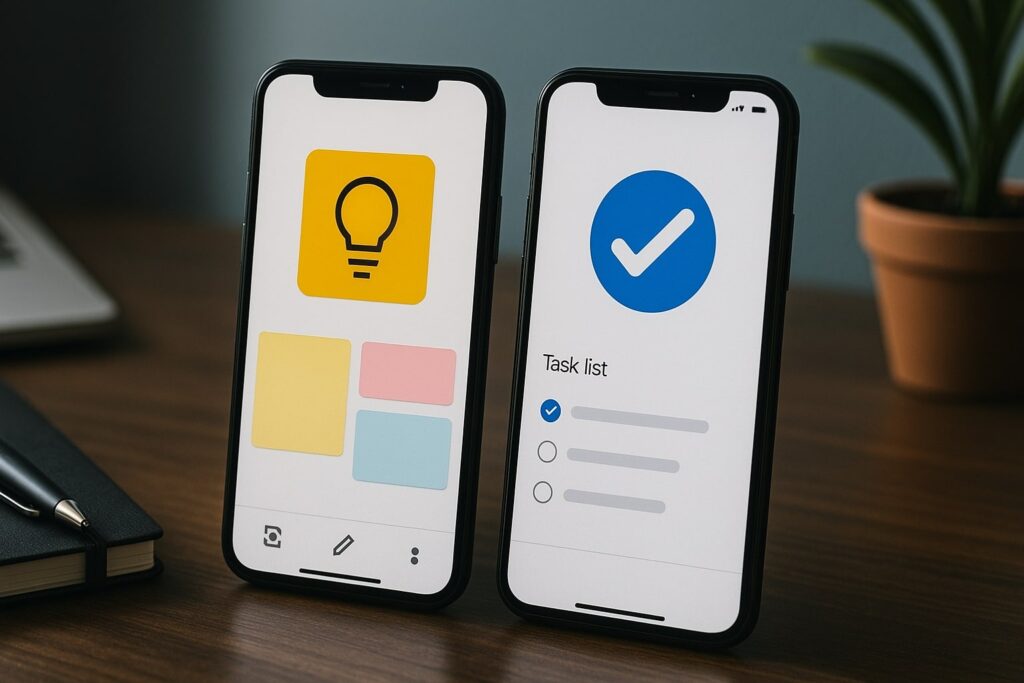
In short:
google keep vs google tasks reveals two tools with overlapping features but very different use cases.
Google Keep works best for flexible thinking, quick ideas and visually organized notes.
Google Tasks is most effective when you need structured, deadline-driven task management.
Integrations across Gmail and Calendar affect how each tool contributes to a broader workflow.
Choosing the right tool depends on how you plan, not the number of features.
What comparing google keep vs google tasks actually means
When looking at google keep vs google tasks, the real difference is not the features themselves but the type of mental workflow each tool supports. Google Keep functions like a digital whiteboard where you can store quick ideas, long-form notes, reminders and visual snippets. Google Tasks, meanwhile, is built around the classic to-do list: simple, linear and focused on deadlines.
TheGrowthIndex.com often highlights that productivity tools only matter when they match the way your brain organizes information, not the other way around. This means your choice between the two should depend on how you naturally plan, evaluate, sort and process what needs to be done.
Understanding this distinction sets the foundation for a more meaningful comparison.
How Google Keep supports visual thinking and flexible planning
Google Keep is ideal for capturing thoughts as they come. The tool supports different content formats — text, checklists, images, voice notes and drawings — which makes it ideal for visual planners or those who like to brainstorm without structure.
One benefit is the color-coding system, which allows you to group related notes at a glance. Another is the ability to pin important notes, making your priority items instantly visible. Because the interface feels open and flexible, it encourages creative thinking and helps you keep track of ideas before they become structured tasks.
Even though the tool is not designed for complex project management, it does excel at storing reference material that supports your daily work.
Also interesting
How Google Tasks supports focus, structure and accountability
Google Tasks delivers a straightforward, minimalist approach to to-do management. You can add tasks, create subtasks and assign due dates that appear directly in Google Calendar. This integration ensures deadlines are visible and helps you stay accountable.
The simplicity is both the strength and the limitation. There are no advanced views, project labels or rich formatting options. The purpose is to keep your attention on what must be completed today, tomorrow or later — not to overwhelm you with customization.
When comparing google keep vs google tasks in environments that require discipline and scheduling, Tasks usually wins because of its tight integration with Gmail’s sidebar.
Using google keep vs google tasks together for stronger workflows
A detail often overlooked is that the two tools work well together rather than functioning as strict alternatives. When you treat Keep as the place for notes and ideas, and Tasks as the place for action items, you create a simple but powerful personal productivity system.
For example:
Capture ideas, links or rough thoughts in Keep.
Convert any actionable item into a task inside Google Tasks.
Store supplementary details (images, lists, reference notes) in Keep while using Tasks solely for deadlines.
This keeps your task list clean and prevents idea overflow from distracting you during execution.
Step-by-step guide for choosing the right tool for your workflow
If you’re unsure how to navigate google keep vs google tasks, use this short step-by-step process:
Identify whether your planning style is visual, linear or mixed.
Examine whether you frequently need to store reference materials.
Decide how important calendar-based deadlines are to your daily output.
Evaluate whether you prefer open, flexible layouts or structured lists.
Test each tool for one week and observe what feels natural rather than what feels forced.
This structured method ensures your decision is based on how you work rather than how the tools are marketed.
“Separate where you think from where you act, and your digital tools will finally start working the way you need them to.”
When Google Keep becomes the better choice
Google Keep works particularly well when you:
Constantly switch between written notes, sketches and images
Need to capture ideas on the go
Prefer seeing information visually
Work on early-stage ideas before converting them into tasks
Want a lightweight reference system without jumping into full project management software
If your day involves creative planning, brainstorming or storing varied content, Keep often becomes the more comfortable tool.
When Google Tasks becomes the better choice
Google Tasks outperforms Keep when you:
Need hard due dates to stay on track
Prefer a traditional to-do list
Rely heavily on Google Calendar
Want a simple workflow without distraction
Need a clean view of only the next actions
Its minimal approach makes it highly reliable for those who get overwhelmed by too much information.
TheGrowthIndex.com regularly emphasizes that reducing cognitive friction is one of the fastest ways to improve productivity — and Tasks does this exceptionally well.
Comparing essential features in google keep vs google tasks
When looking at google keep vs google tasks feature by feature, the differences become clearer:
Note-taking vs task execution
Keep shines in note-taking flexibility, while Tasks excels in execution.
Visual layout vs structured list
Keep offers customizable visual tiles; Tasks uses a clean, linear task list.
Rich content vs minimal content
Keep accepts images, drawings and voice notes; Tasks sticks to plain text.
Calendar integration vs idea storage
Tasks pushes deadlines to Google Calendar; Keep stores context and reference materials.
Collaboration
Keep allows shared notes, while Tasks currently provides individual task management.
Understanding these contrasts helps you decide not just which tool fits your workflow but why.
Also interesting



Common mistakes people make when using google keep vs google tasks
To get the most from both tools, avoid these frequent errors:
Keeping tasks inside Google Keep, which leads to clutter
Using Google Tasks as a note repository, which leads to confusion
Allowing Keep boards to become overloaded with outdated notes
Over-segmenting task lists inside Tasks
Relying on only one tool when both can strengthen each other
A clean separation between ideas (Keep) and action (Tasks) prevents most of these problems.
Workflow examples that show the difference clearly
Here are two real-use scenarios that show how google keep vs google tasks support different organizational needs:
Example 1: Planning a small project
Use Keep for brainstorm notes, images and resources.
Use Tasks for deadlines, subtasks and deliverables.
Example 2: Managing daily personal routines
Use Keep to store reference lists like recipes, packing lists or reading notes.
Use Tasks to manage scheduled reminders and time-blocked to-dos.
These examples demonstrate how the two tools complement each other rather than compete directly.
Using insights from google keep vs google tasks to strengthen productivity habits
The choice between the tools is ultimately a choice between two forms of thinking: open exploration or structured execution. When you identify which style governs your day, you naturally gravitate toward the tool that enhances your strengths rather than amplifies your weaknesses.
Productivity systems work best when they are simple, predictable and aligned with your personal decision-making style. This is why the comparison between google keep vs google tasks is less about features and more about behavioral fit.
TheGrowthIndex.com often highlights this principle across different productivity methodologies — the best tool is the one that removes friction from your thinking.
Bringing clarity to your digital organization system
Whichever option you choose, the key is consistency. Even the most effective tool fails if used inconsistently or without a clear purpose. By understanding each tool’s strengths and intentionally shaping your workflow around them, you build a sustainable system that supports both creativity and execution.

Lina Mercer
Lina Mercer is a technology writer and strategic advisor with a passion for helping founders and professionals understand the forces shaping modern growth. She blends experience from the SaaS industry with a strong editorial background, making complex innovations accessible without losing depth. On TheGrowthIndex.com, Lina covers topics such as business intelligence, AI adoption, digital transformation, and the habits that enable sustainable long-term growth.