
Home » Alle berichten » Software » Maximizing workflow efficiency with monday tips that help you build smarter systems in Monday.com
Maximizing workflow efficiency with monday tips that help you build smarter systems in Monday.com
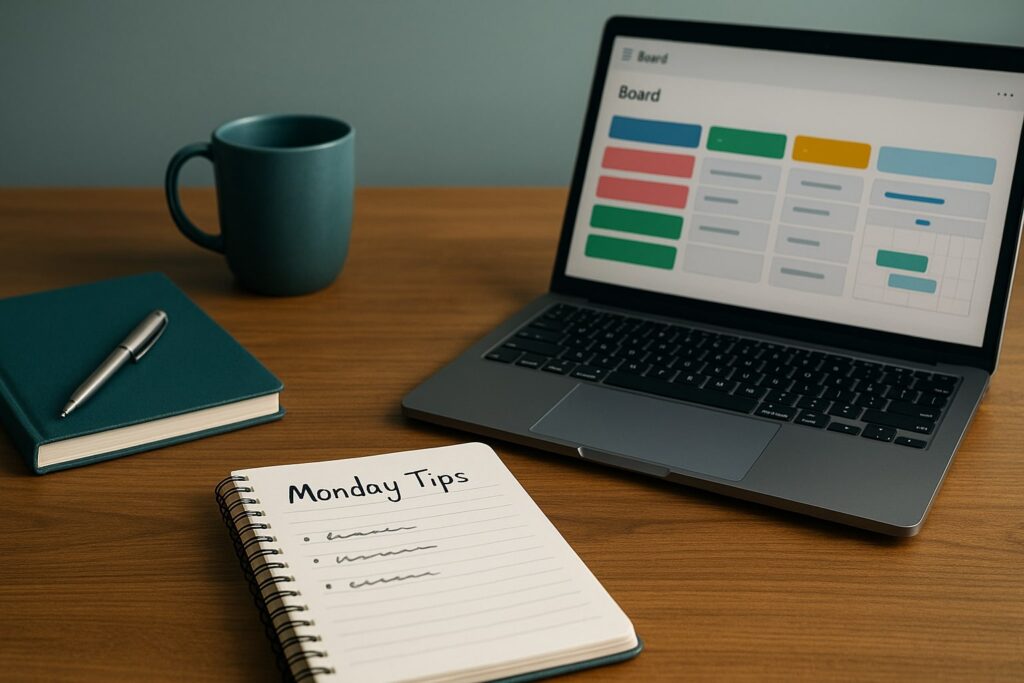
Optimizing your work inside Monday.com requires more than adding tasks or choosing templates. The most effective monday tips reveal how to build systems, automate repetitive steps and use the platform as a dynamic operational hub rather than a static task board. When Monday.com becomes the engine behind your processes, every team benefits from clearer visibility, faster execution and more predictable outcomes. This article explores actionable, advanced ways to elevate your Monday.com workflows, drawing on insights often highlighted at TheGrowthIndex.com.
In short:
Monday tips work best when they improve structure, not just individual tasks.
Automations create consistency and remove repetitive workload from teams.
Custom views help you monitor work more intelligently without switching boards.
Building workflows inside Monday.com requires balancing simplicity with flexibility.
Integrations turn Monday.com into a connected command center for your entire ecosystem.
Why monday tips matter for operational efficiency
Monday.com can be used as a simple task manager, but its true power emerges when it becomes the backbone of your operational workflow. Many teams overlook features that automate repetitive tasks, guide decision-making or make complex processes transparent. Effective monday tips focus on turning manual habits into systematic workflows.
When Monday.com is set up intentionally, it reduces the need for constant check-ins, decreases communication overhead and helps teams act proactively instead of reactively. Whether you’re managing projects, operations or creative pipelines, better system design leads to more predictable execution.
Monday tips for structuring your account before adding work
Before building boards, it’s important to structure your workspace properly. Many users jump directly to creating tasks without defining categories, naming conventions or workflow boundaries. This leads to duplicated boards, inconsistent fields and difficulty scaling.
A strong structure includes:
a clear board naming system
consistent column types across similar workflows
predefined labels for statuses
separation of operational boards from strategic dashboards
Taking time to design your workspace upfront ensures scalability and prevents fragmentation later.
Also interesting
Monday tips to use dashboards for insight rather than display
Dashboards are often used as decoration rather than decision-making tools. The most impactful monday tips focus on building dashboards that answer real operational questions. Instead of filling dashboards with random widgets, identify the metrics that influence decisions: workload distribution, progress against targets, bottlenecks or cycle time.
A strategic dashboard uses multiple data sources, aggregates meaningful metrics and updates automatically. It becomes a management tool rather than a visualizer.
Using automations: the most powerful monday tips for scaling workflows
Automations eliminate manual steps, reduce errors and ensure consistency. They are one of Monday.com’s strongest features, yet often underused. Effective automation examples include:
moving tasks to a new group when a status changes
notifying key stakeholders when deadlines shift
creating recurring tasks automatically
assigning teammates based on workload thresholds
updating dependent tasks when predecessors change
These automations help teams operate more predictably, even during busy periods.
Building dependencies for more accurate planning
Dependencies create logical order between tasks and help teams avoid delays. They show when a task can begin, what blocks it and how shifting one deadline affects the entire workflow.
When used correctly, dependencies transform Monday.com into a lightweight project portfolio management tool. They reduce uncertainty and give managers clarity about what is holding work back.
Monday tips for improving cross-team communication
Communication often becomes fragmented across tools. Monday.com offers built-in communication features that can streamline your workflow when used with intention. For example:
use item updates to keep discussions anchored to tasks
@mention only when necessary to reduce noise
store context, attachments and decisions in the same place
create shared views for teams with overlapping responsibilities
This ensures teams communicate within the workflow instead of across scattered channels.
"Small workflow improvements become powerful when repeated every week."
Monday tips for creating smarter board designs
Board design affects clarity and execution speed. Effective boards balance structure with flexibility. Consider using:
status columns that reflect real workflow stages
people columns with clear ownership
tags for filtering across boards
dropdown menus for standardized selections
formula columns for automated calculations
Avoid using too many column types; simplicity supports better adoption across teams.
Combining monday tips with time-blocked work cycles
While Monday.com organizes tasks, how you work inside the system also matters. A helpful approach is pairing well-designed boards with time-blocked work cycles. For example, start each cycle by filtering tasks based on priority, status or role.
This combination of structured views and focused work intervals increases throughput and limits context switching.
Monday tips for customizing views and improving focus
Different views reveal different insights. Switching between them strategically is far more effective than relying on the main table view alone. Useful view types include:
Kanban for process-oriented work
Gantt for timeline visualization
Calendar for deadline management
Workload for assessing distribution
Form view for collecting submissions
Using the right view gives clarity without needing multiple boards, reducing redundancy.
Integration-focused monday tips to build a connected system
Monday.com becomes significantly more powerful when integrated with the rest of your ecosystem. Strong integrations include:
Slack or Microsoft Teams for actionable notifications
Google Drive or OneDrive for file organization
Salesforce or HubSpot for pipeline synchronization
Trello or Asana for migration during transitions
Zapier or Make for custom automations beyond native tools
These integrations create a unified digital workspace and reduce the number of platforms you must constantly monitor.
Also interesting



Advanced monday tips for building repeatable templates
Templates are essential for scaling operations. Instead of recreating workflows manually, build template boards with:
standard automations
predefined status labels
preassigned owners
consistent column structures
example items
A well-designed template becomes a “starter kit” for new projects and eliminates guesswork.
Monday tips for improving data hygiene
Data hygiene influences reporting accuracy, automation performance and team alignment. Common issues include abandoned tasks, inconsistent statuses and outdated due dates. Improve data quality by:
scheduling weekly clean-ups
automating reminders for overdue tasks
limiting column options to prevent errors
reviewing workload distribution regularly
Clean data makes Monday.com reliable rather than chaotic.
Using monday tips for long-term process improvement
Monday.com isn’t just a productivity tool — it’s a process improvement platform. Review performance through dashboards, run retrospectives using filtered views and refine workflow structures every quarter.
Incremental improvements compound over time. Each small enhancement — a new automation, a cleaner board, a smarter view — increases the system’s resilience.
Monday tips for teams managing complex portfolios
Teams with multiple projects often struggle with visibility. Monday.com supports portfolio management through:
multiple boards feeding a single dashboard
advanced filters across projects
portfolio-level workload views
automations that sync priority changes
standardized templates for similar initiatives
These strategies prevent information silos and ensure strategic work aligns with timelines and capacity.
Creating a culture of system-first thinking
The most effective Monday.com setups emerge when teams think in systems. They stop managing tasks reactively and start designing workflows where tasks move predictably. This mindset aligns with ideas frequently explored at TheGrowthIndex.com, where strong processes support high performance.
When teams adopt system-first thinking, Monday.com becomes more than software — it becomes the operational backbone.

Lina Mercer
Lina Mercer is a technology writer and strategic advisor with a passion for helping founders and professionals understand the forces shaping modern growth. She blends experience from the SaaS industry with a strong editorial background, making complex innovations accessible without losing depth. On TheGrowthIndex.com, Lina covers topics such as business intelligence, AI adoption, digital transformation, and the habits that enable sustainable long-term growth.